-
Templates
1099 FormsAccurately report 1099 information returns and ensure IRS filing with easeExplore all templatesW-9 W-8 FormsEasily manage and share taxpayer details to streamline payments and meet IRS requirements with confidenceExplore all templatesOther Tax FormsFillable tax forms simplify and speed up your tax filing process and aid with recordkeeping.Explore all templatesReal EstateReal estate templates for all cases, from sale to rentals, save you a lot of time and effort.Explore all templatesLogisticsSimplify your trucking and logistics paperwork with our ready-to-use transportation and freight templates.Explore all templatesBill of SaleBill of Sale templates streamline the transfer of ownership with clarity and protection.Explore all templatesContractsVarious contract templates ensure efficient and clear legal transactions.Explore all templatesEducationEducational forms and templates enhance the learning experience and student management.Explore all templates
-
Features
FeaturesAI-Enhanced Document Solutions for Contractor-Client Success and IRS ComplianceExplore all featuresAI Summarizer Check out the featureAI PDF summarizer makes your document workflow even faster. Ask AI to summarize PDF, assist you with tax forms, complete assignments, and more using just one tool.Sign PDF Check out the featurePDFLiner gives the opportunity to sign documents online, save them, send at once by email or print. Register now, upload your document and e-sign it onlineFill Out PDF Check out the featurePDFLiner provides different tools for filling in PDF forms. All you need is to register, upload the necessary document and start filling it out.Draw on a PDF Check out the featureDraw lines, circles, and other drawings on PDF using tools of PDFLiner online. Streamline your document editing process, speeding up your productivity
- Solutions
- Features
- Blog
- Support
- Pricing
- Log in
- Sign Up


E-File Form 1099-NEC Online
Fill out Form 1099-NEC online and e-file it with the IRS. PDFLiner e-files Forms 1099-NEC for tax years 2025 and 2024: original and corrected forms.
What You Need to Know
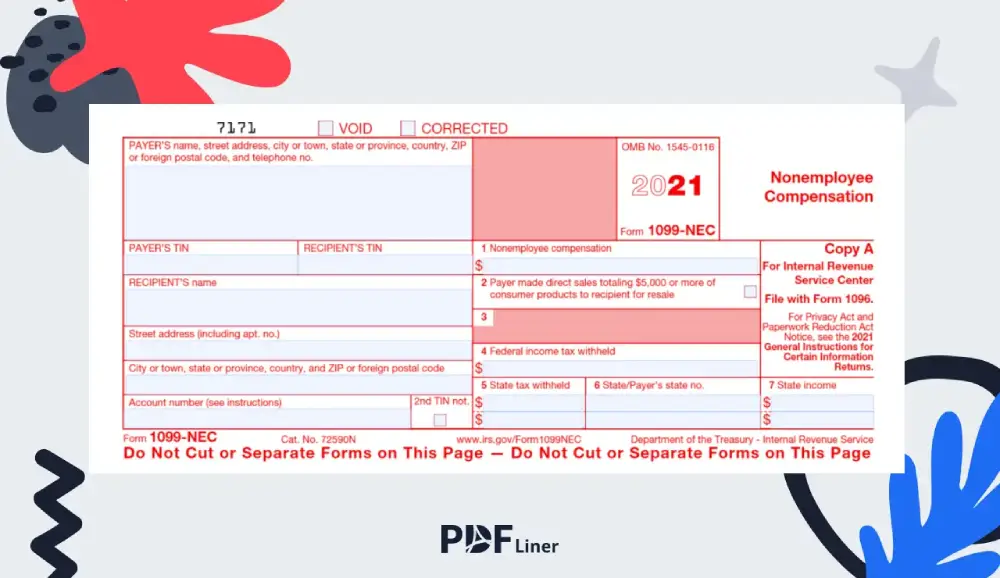
- Form 1099-NEC reports nonemployee compensation: payments you make in the course of your business to someone who is not your employee, such as an independent contractor, for services.
- For payments made in 2025 or 2024, file a Form 1099-NEC for each person you paid at least $600 for services, including parts and materials. There are exceptions: for example, payments to a corporation are generally not reported, but attorneys' fees are. Payments you made by credit card or another payment card, or through a third-party payment network, are reported on Form 1099-K by the payment company, not on Form 1099-NEC.
- If you withheld federal income tax under the backup withholding rules, file the form whatever the amount.
- File with the IRS and send Copy B to the recipient by January 31 of the next year, or by the next business day when that date falls on a weekend or legal holiday. For tax year 2025 the due date was February 2, 2026.
- If you file 10 or more information returns in a year (all types counted together), you generally must file them electronically.
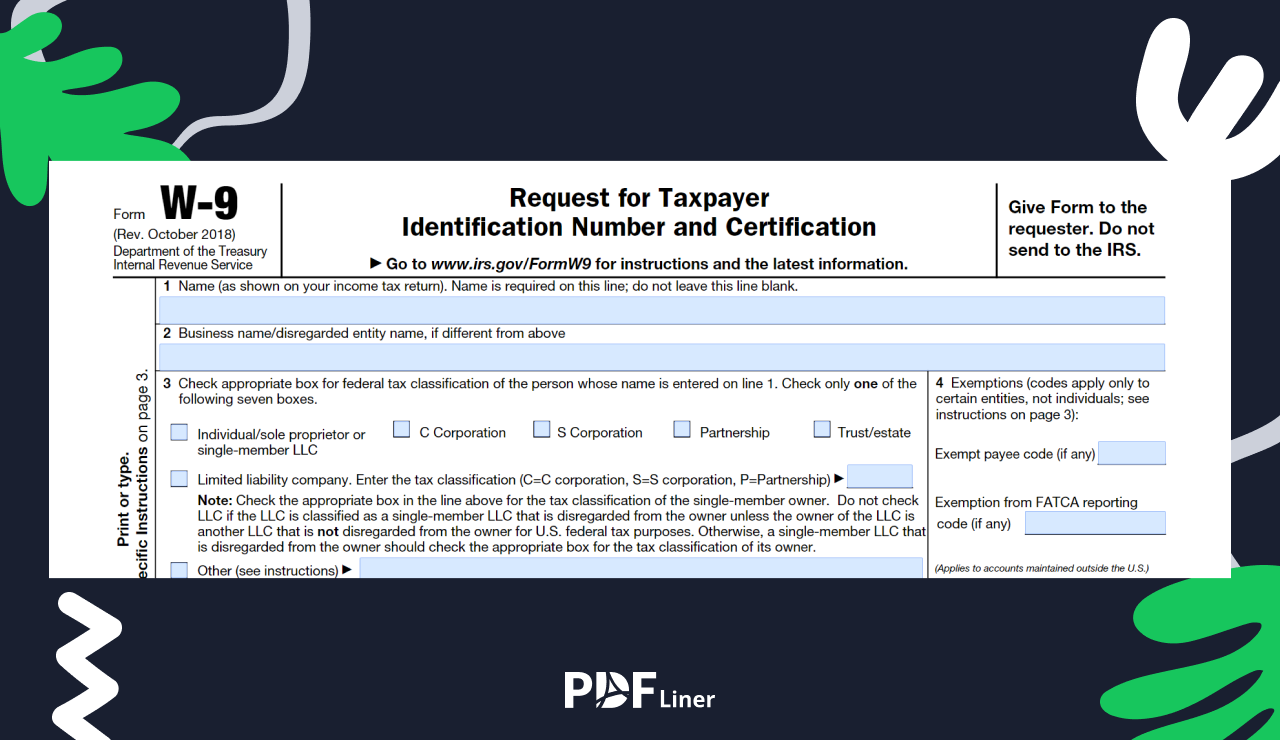
- Ask a U.S. contractor for their taxpayer identification number with Form W-9 before you file. You can request a W-9 online.
- Rents, royalties, prizes and awards that are not for services, and other income go on Form 1099-MISC, not on Form 1099-NEC.
How to e-file Form 1099-NEC with PDFLiner
- Click E-file 1099-NEC for 2025. Filing for tax year 2024? Open the tax year 2024 form.
- Enter the payer's and the recipient's details and the amounts. To check the recipient's name and TIN before you file, use the optional TIN check (it counts against your plan's TIN matches).
- Choose whether PDFLiner should email Copy B to the recipient as a PDF attachment after you submit the form. The email by itself does not meet the IRS rules for furnishing Copy B: give the recipient a paper copy unless you meet the IRS requirements for electronic recipient statements (the recipient's affirmative consent given electronically, the required disclosures, posting the statement on a website by the due date and keeping it there through October 15, and telling the recipient how to access it).
- Confirm that the payments were made in the tax year of the form, then submit the form to the IRS.
- Watch the status: PDFLiner emails you when the IRS accepts or rejects the form. You can download PDF copies of the forms you submitted.
Corrections
To fix a Form 1099-NEC that was already filed, file a corrected form. You can correct the amounts or the recipient's name, TIN or address, or correct a form that was filed when it should not have been. If the original form was filed somewhere else or on paper, you enter both the original and the corrected information. The correction options do not cover the payer's name or TIN.
Many forms at once
With Import Forms you can upload up to 250 forms in one CSV or Excel file. The tax year 2025 template has no column for box 3 (excess golden parachute payments): enter such forms in the editor.
Price
E-filing is part of the PDFLiner plans: each plan includes a number of e-filed forms per billing period, and a correction counts as a filing. When they run out, you can pay for another filing in the editor. See Pricing for what each plan includes.
Form 1099-NEC: Frequently Asked Questions
What is Form 1099-NEC used for?
It reports nonemployee compensation. For payments made in 2025 or 2024, a business files a Form 1099-NEC for each person who is not its employee and who was paid at least $600 for services, such as an independent contractor. Payments by credit card or another payment card, or through a third-party payment network, are reported on Form 1099-K instead. The payer files the form with the IRS and sends Copy B to the recipient.
When is Form 1099-NEC due?
By January 31 of the year after the payments, both for filing with the IRS and for sending Copy B to the recipient. When January 31 falls on a weekend or legal holiday, the due date is the next business day. For tax year 2025 the due date was February 2, 2026; for tax year 2024 it was January 31, 2025.
Which tax years can I e-file with PDFLiner?
Tax years 2025 and 2024, for Forms 1099-NEC and 1099-MISC, including corrected forms. E-filing for tax year 2023 is no longer available in PDFLiner.
Do I have to e-file Form 1099-NEC?
If you are required to file 10 or more information returns during the year, you generally must file them electronically. The count includes all types of information returns together, not each form type separately.
Can I print Form 1099-NEC from the IRS website and mail it?
Not Copy A. The IRS says not to print and file Copy A downloaded from its website, and a penalty may be imposed for filing forms that can't be scanned.
What is the penalty for a late Form 1099-NEC?
For returns due in 2026 (tax year 2025) the IRS penalty is $60 per return up to 30 days late, $130 from 31 days late through August 1, and $340 after August 1 or if not filed; for intentional disregard it is at least $680 per return, with no maximum penalty. The IRS may remove or reduce a penalty if you acted in good faith and can show reasonable cause. A separate penalty applies to recipient copies not provided on time. See Information return penalties on irs.gov.
What is the difference between Form 1099-NEC and Form 1099-MISC?
Form 1099-NEC reports nonemployee compensation for services. Form 1099-MISC reports other payments, such as rents, royalties, prizes and awards, other income, medical and health care payments and gross proceeds paid to an attorney.