-
Templates
1099 FormsAccurately report 1099 information returns and ensure IRS filing with easeExplore all templatesW-9 W-8 FormsEasily manage and share taxpayer details to streamline payments and meet IRS requirements with confidenceExplore all templatesOther Tax FormsFillable tax forms simplify and speed up your tax filing process and aid with recordkeeping.Explore all templatesReal EstateReal estate templates for all cases, from sale to rentals, save you a lot of time and effort.Explore all templatesLogisticsSimplify your trucking and logistics paperwork with our ready-to-use transportation and freight templates.Explore all templatesBill of SaleBill of Sale templates streamline the transfer of ownership with clarity and protection.Explore all templatesContractsVarious contract templates ensure efficient and clear legal transactions.Explore all templatesEducationEducational forms and templates enhance the learning experience and student management.Explore all templates
-
Features
FeaturesAI-Enhanced Document Solutions for Contractor-Client Success and IRS ComplianceExplore all featuresAI Summarizer Check out the featureAI PDF summarizer makes your document workflow even faster. Ask AI to summarize PDF, assist you with tax forms, complete assignments, and more using just one tool.Sign PDF Check out the featurePDFLiner gives the opportunity to sign documents online, save them, send at once by email or print. Register now, upload your document and e-sign it onlineFill Out PDF Check out the featurePDFLiner provides different tools for filling in PDF forms. All you need is to register, upload the necessary document and start filling it out.Draw on a PDF Check out the featureDraw lines, circles, and other drawings on PDF using tools of PDFLiner online. Streamline your document editing process, speeding up your productivity
- Solutions
- Features
- Blog
- Support
- Pricing
- Log in
- Sign Up


SSA-455-OCR-SM
Get your SSA-455-OCR-SM in 3 easy steps
-
01 Fill and edit template
![Fill SSA-455-OCR-SM]()
-
02 Sign it online
![Sign SSA-455-OCR-SM]()
-
03 Export or print immediately
![Export SSA-455-OCR-SM]()


What Is a Disability Update Report?
Form SSA-455-OCR-SM asks for information about your medical treatment and work activities. When you receive Social Security disability benefits, you are required to report any changes in your condition that may affect your eligibility for benefits (SSA-455 pdf). Follow SSA's reporting requirements for your benefit program.

What Is the SSA-455-OCR-SM Form Used For?
The Social Security Administration (SSA) will periodically review your case to make sure you are still eligible for benefits. These reviews are called continuing disability reviews (CDRs).
How to Fill Out Disability Update Report?
SSA uses information from the Disability Update Report form to determine if you are still eligible for benefits.
If SSA asks you to complete this report, complete and return it. Be sure to include:
- Follow the instructions on your personalized report.
- Answer the questions on the form using the prompts

How to Submit Form SSA-455-OCR-SM?
You can submit your completed SSA-455 Disability Update Report in person to your local SSA office, by mail, or by fax. It is important to notify SSA as soon as possible of any changes in your circumstances. Otherwise, you may be overpaid for benefits.
Does Form SSA-455-OCR-SM Require a Signature?
SSA does not require a signature on any version of the SSA-455 Disability Update Report.
-
How long does a disability update report take?
The length of time it takes to process a Disability Update Report (Form SSA-455-OCR-SM) can vary depending on a number of factors, including the workload of the Social Security Administration (SSA) and the complexity of your case. It is also a good idea to keep track of the date you mailed your report and to follow up with the SSA if you have not received a response after an appropriate amount of time.
Related Content - SSA-455-OCR-SM
-
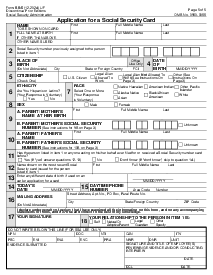
![]() Form SS-5, Application for a Social Security CardWhat is Form SS-5? Form SS-5, Application for a Social Security Card, is the Social...
-
![]() Form SSA-561-U2SSA-561-U2 Form: What Is It? When seeking support from the SSA, you will face its...
-
![]() SSA-1693, Fee Agreement for RepresentationSSA-1693 Fee Agreement Form The SSA-1693 Fee Agreement Form is a legal document used by...
-
![]() SSA-1696-SUP1, Claimants Revocation of the Appointment of a RepresentativeForm SSA 1696 SUP 1: Social Security Administration Revocation Form Understanding and navigating Social Security...
-
![]() SSA-1-BK - Application for Retirement Insurance BenefitsHow to Get a Fillable SSA-1-BK - Application for Retirement Insurance Benefits? There is a...


Fillable online SSA-455-OCR-SM