-
Templates
1099 FormsAccurately report 1099 information returns and ensure IRS filing with easeExplore all templatesW-9 W-8 FormsEasily manage and share taxpayer details to streamline payments and meet IRS requirements with confidenceExplore all templatesOther Tax FormsFillable tax forms simplify and speed up your tax filing process and aid with recordkeeping.Explore all templatesReal EstateReal estate templates for all cases, from sale to rentals, save you a lot of time and effort.Explore all templatesLogisticsSimplify your trucking and logistics paperwork with our ready-to-use transportation and freight templates.Explore all templatesBill of SaleBill of Sale templates streamline the transfer of ownership with clarity and protection.Explore all templatesContractsVarious contract templates ensure efficient and clear legal transactions.Explore all templatesEducationEducational forms and templates enhance the learning experience and student management.Explore all templates
-
Features
FeaturesAI-Enhanced Document Solutions for Contractor-Client Success and IRS ComplianceExplore all featuresAI Summarizer Check out the featureAI PDF summarizer makes your document workflow even faster. Ask AI to summarize PDF, assist you with tax forms, complete assignments, and more using just one tool.Sign PDF Check out the featurePDFLiner gives the opportunity to sign documents online, save them, send at once by email or print. Register now, upload your document and e-sign it onlineFill Out PDF Check out the featurePDFLiner provides different tools for filling in PDF forms. All you need is to register, upload the necessary document and start filling it out.Draw on a PDF Check out the featureDraw lines, circles, and other drawings on PDF using tools of PDFLiner online. Streamline your document editing process, speeding up your productivity
- Solutions
- Features
- Blog
- Support
- Pricing
- Log in
- Sign Up


CDPH 530 Form
Get your CDPH 530 Form in 3 easy steps
-
01 Fill and edit template
![Fill CDPH 530 Form]()
-
02 Sign it online
![Sign CDPH 530 Form]()
-
03 Export or print immediately
![Export CDPH 530 Form]()


Understanding CDPH 530
CDPH 530 is the California Department of Public Health's Nursing Staffing Assignment and Sign-In Sheet. It involves the meticulous allocation of work based on the staff's qualifications and the requirements of patient care.
Importance of nursing staff assignment sheets
The CDPH Form 530 revolves around the fundamental balance of patient needs and the skills and expertise of the nursing staff. It aims to ensure the delivery of safe, effective, and efficient nursing care while promoting the well-being of the nursing staff.
How to Fill Out the CDPH Form 530
You might wonder about filling out this form. Here are the simple instructions:
- Start by entering the name of your facility in the box labeled 'Facility Name'. Make sure you spell the name correctly and use the full name for accurate identification.
- Proceed to the 'Date (MM/DD/YY)' field and input the exact date for which the form applies.
- Move to the 'Director of Nursing/ Designee' field. This is where you type the name of the director of nursing or the person acting in that capacity. Ensure you enter their full name for clarity.
- Next, you'll need to indicate if it is the first, second or third shift in the field labeled 'Shift (1/2/3)'.
- Input the exact time at which the shift starts in the 'Shift Start Time (HH:MM am/pm)' field. Be sure to note whether it is in the morning (AM) or the evening (PM).
- Specify the location of the facility in the 'Station/Wing/Unit/Floor' section to clarify where exactly the work is done.
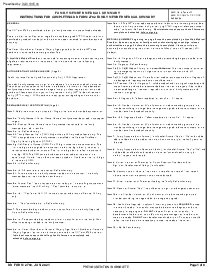
- Follow item 7 of the official instructions to record only direct caregivers not otherwise captured in payroll records, including patient assignments, employee names, disciplines, actual shift times, and meal-break times. Double-check the times for accuracy as any error might create confusion.
- Each of your employees listed should sign their names in the space provided in the 'Employee Signature' column. This acts as a verification that they were present and worked during the noted period.
- At the conclusion of each patient day, the director of nursing or designee should sign to verify the assignments. They should not verify their own time; the facility administrator or other designated staff should verify those hours. The signature acts as an authorization that all the details included are true and correct.
Always remember to save the staff assignment and nursing care form after filling it or before you close the website's tab to prevent losing all the data you've input.
Deciding when to use nurse staffing assignment
The employment of nurse staffing assignments, like those outlined in the CDPH 530, is a continuous process. However, there are specific times when their use becomes particularly significant.
- Shift Changes: At the start of each shift, assigning nursing staff to patients becomes crucial.
- Staff Absence: In instances of unexpected absences, this staffing assignment enables quick reassignment of patient care duties.
- Changes in Patient Condition: Should a patient's condition drastically change, a re-evaluation of their current care plan is essential. This may include changing the nurse assigned to a particular patient.
- Influx of Admissions: During peak admission periods, hospitals and care homes might experience an influx of patients. Here, the nurse assignment plays a pivotal role in efficiently organizing patient care amidst the chaos.
Related Content - CDPH 530 Form
-
![]() DD 2792DD Form 2792 Army Explained Wondering what exactly this form is about? Interested in what...
-
![]() Medical Examination Report (MER) Form, MCSA-5875What Is The Medical Examination Report Form The Medical Examination Report Form, best known as...
-
![]() Kroger Pharmacy Records RequestWhat does this page offer? This page does not offer a document or an editor....
-
![]() Texas Proof of Pregnancy Form H3037What Is Texas Proof of Pregnancy Form H3037? If the client works with a physician,...
-
![]() PS Form 3971Edition note: the blank on this page is an older edition of PS Form 3971....


Fillable online CDPH 530 Form