-
Templates
1099 FormsAccurately report 1099 information returns and ensure IRS filing with easeExplore all templatesW-9 W-8 FormsEasily manage and share taxpayer details to streamline payments and meet IRS requirements with confidenceExplore all templatesOther Tax FormsFillable tax forms simplify and speed up your tax filing process and aid with recordkeeping.Explore all templatesReal EstateReal estate templates for all cases, from sale to rentals, save you a lot of time and effort.Explore all templatesLogisticsSimplify your trucking and logistics paperwork with our ready-to-use transportation and freight templates.Explore all templatesMedicalMedical forms help you keep patient documentation organized and secure.Explore all templatesBill of SaleBill of Sale templates streamline the transfer of ownership with clarity and protection.Explore all templatesContractsVarious contract templates ensure efficient and clear legal transactions.Explore all templatesEducationEducational forms and templates enhance the learning experience and student management.Explore all templates
-
Features
FeaturesAI-Enhanced Document Solutions for Contractor-Client Success and IRS ComplianceExplore all featuresAI Summarizer Check out the featureAI PDF summarizer makes your document workflow even faster. Ask AI to summarize PDF, assist you with tax forms, complete assignments, and more using just one tool.Sign PDF Check out the featurePDFLiner gives the opportunity to sign documents online, save them, send at once by email or print. Register now, upload your document and e-sign it onlineFill Out PDF Check out the featurePDFLiner provides different tools for filling in PDF forms. All you need is to register, upload the necessary document and start filling it out.Draw on a PDF Check out the featureDraw lines, circles, and other drawings on PDF using tools of PDFLiner online. Streamline your document editing process, speeding up your productivity
- Solutions
- Features
- Blog
- Support
- Pricing
- Log in
- Sign Up


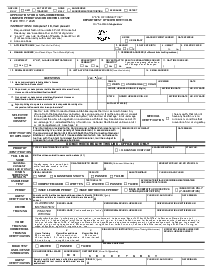
DHS-431, Self-Employment Income and Expense Statement
Get your DHS-431, Self-Employment Income and Expense Statement in 3 easy steps
-
01 Fill and edit template
![Fill DHS-431, Self-Employment Income and Expense Statement]()
-
02 Sign it online
![Sign DHS-431, Self-Employment Income and Expense Statement]()
-
03 Export or print immediately
![Export DHS-431, Self-Employment Income and Expense Statement]()


What Is DHS-431 Self-Employment Statement Form
What is DHS 431 self-employment statement used for
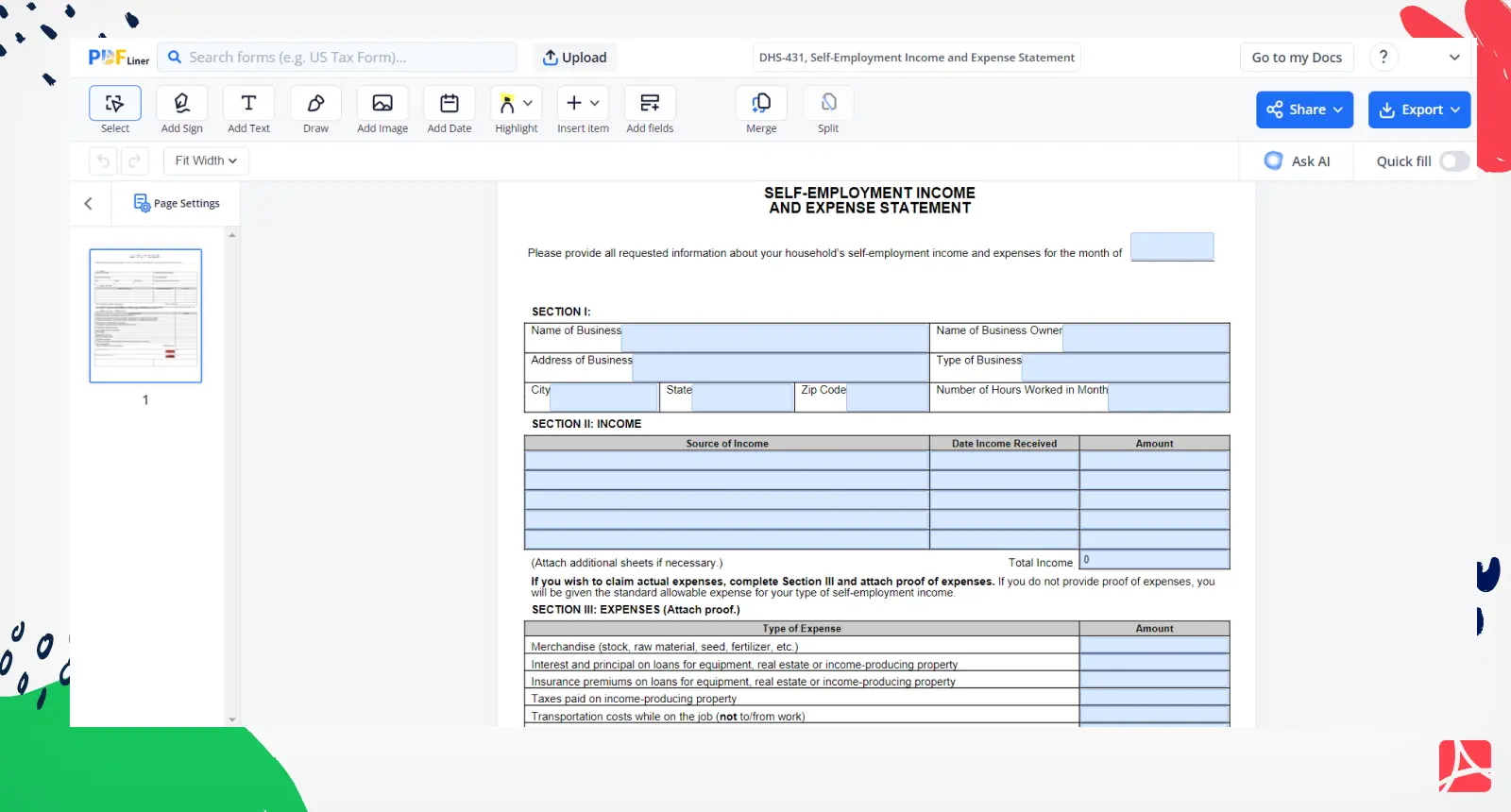
The DHS-431 is the Michigan Department of Health and Human Services (MDHHS) form on which a self-employed household reports its business income and expenses for one month. MDHHS uses it as one of the ways to verify self-employment income when it decides eligibility and benefit amounts for Food Assistance (FAP), cash assistance (FIP, SDA, RCA) and child care (CDC). It is not accepted as verification for Medicaid: for Medicaid, MDHHS uses your tax return or your business records. Income from an S corporation or an LLC is not self-employment for MDHHS and is verified differently. The form's purposes:
- reporting self-employment income: you list each source of income received in the month, with the date and amount;
- documenting business expenses: you list the expenses of running the business if you want MDHHS to count your actual expenses;
- evaluating eligibility: MDHHS uses the statement to work out your countable self-employment income.
Your filed tax return is MDHHS's primary source when it still represents your income; the DHS-431 with income receipts is the secondary source, and the DHS-431 without receipts the third. The template on PDFLiner gives you the same one-page form to fill in and print.
How to Fill Out DHS-431
Section 1: Business Information
- Name of Business and Name of Business Owner: enter your DBA or sole-proprietorship name and your own name
- Address of Business and Type of Business: the physical location (your home address if home-based) and what the business does
- Number of Hours Worked in Month: the hours you worked in the month the form covers
Section 2: Income for the month
Write the month the statement covers at the top, then list every source of self-employment income received in that month, the date received and the amount:
- Client payments and invoices paid
- Cash transactions (keep a record of them)
- Online sales and digital services
- Seasonal or irregular income (MDHHS averages income over the months it covers, not automatically over 12 months)
💡 Pro Tip: Use bank statements and payment processor reports (PayPal, Stripe, Square) to support the amounts you enter.
Section 3: Expenses
Complete Section 3 only if you want MDHHS to count your actual expenses, and attach proof of each one. If you do not provide proof, MDHHS applies a standard expense allowance instead: for FAP, FIP, SDA, RCA and CDC the allowable expenses are the higher of 50 percent of your total proceeds or your verified actual expenses. For FAP, FIP, SDA, RCA and CDC, MDHHS does not allow these business expenses: federal, state and local income taxes, depreciation, a net loss from a previous period and retirement set-asides. The form lists the expense types: merchandise and raw materials, loan interest and principal on business equipment or property, insurance on those loans, taxes on income-producing property, on-the-job transportation (not commuting), capital equipment, wages paid to employees, advertising, postage, rent and utilities for business space, and other expenses you name.
Common Mistakes to Avoid
- Mixing personal and business expenses - Only report business costs
- Forgetting cash income - All income must be reported, even cash
- Using figures that no longer represent your business - MDHHS uses your last tax return when it still reflects your income, and the DHS-431 for the month asked
- Claiming actual expenses without proof - Without receipts MDHHS uses the standard allowance, so attach proof if your real expenses are higher
How to report self-employment income
When reporting self-employed income using the DHS-431 form, consider the following sum-it-all-up useful tips from our experts. First, maintain accurate records of all your income and business expenses to ensure accurate reporting.
Second, in the Income and Expense statement PDF, report all sources of self-employment income and provide comprehensive details of business expenses. Third, include receipts and invoices if you claim actual expenses, and send the signed statement with the proof to your MDHHS specialist (through MI Bridges, in person or by mail). Finally, if you're unsure about specific entries or deductions, ask your MDHHS specialist or a reliable tax professional for guidance.
Frequently Asked Questions
-
What happens if I make an error?
Tell your MDHHS specialist about the error; MDHHS accepts reported changes through MI Bridges, by phone or in writing.
Related Content - DHS-431, Self-Employment Income and Expense Statement
-
![]() Texas CR-2 (Driver Crash Report)Texas Blue Form CR-2: What Is It? CR-2, also known as Texas Blue Form or...
Texas CR-2 (Driver Crash Report)Texas Blue Form CR-2: What Is It? CR-2, also known as Texas Blue Form or... -
![]() Form CG-1340, U.S. Coast Guard BILL OF SALEThe Coast Guard Bill of Sale, officially known as Form CG 1340, is a crucial...
Form CG-1340, U.S. Coast Guard BILL OF SALEThe Coast Guard Bill of Sale, officially known as Form CG 1340, is a crucial... -
![]() Virginia ID Card Application - DL1P FormWhat is VA ID Card Application? The Virginia ID Card Application, or the DL1P Form,...
Virginia ID Card Application - DL1P FormWhat is VA ID Card Application? The Virginia ID Card Application, or the DL1P Form,... -
![]() Texas Driver License Replacement - DL-14AWhat do I need the Texas Driver License Replacement for? The form DL 14A PDF...
Texas Driver License Replacement - DL-14AWhat do I need the Texas Driver License Replacement for? The form DL 14A PDF... -
![]() Form R-229Requirements for Form R-229 Applicant should sign and date the form. How to Fill Out...
Form R-229Requirements for Form R-229 Applicant should sign and date the form. How to Fill Out...



Fillable online DHS-431, Self-Employment Income and Expense Statement